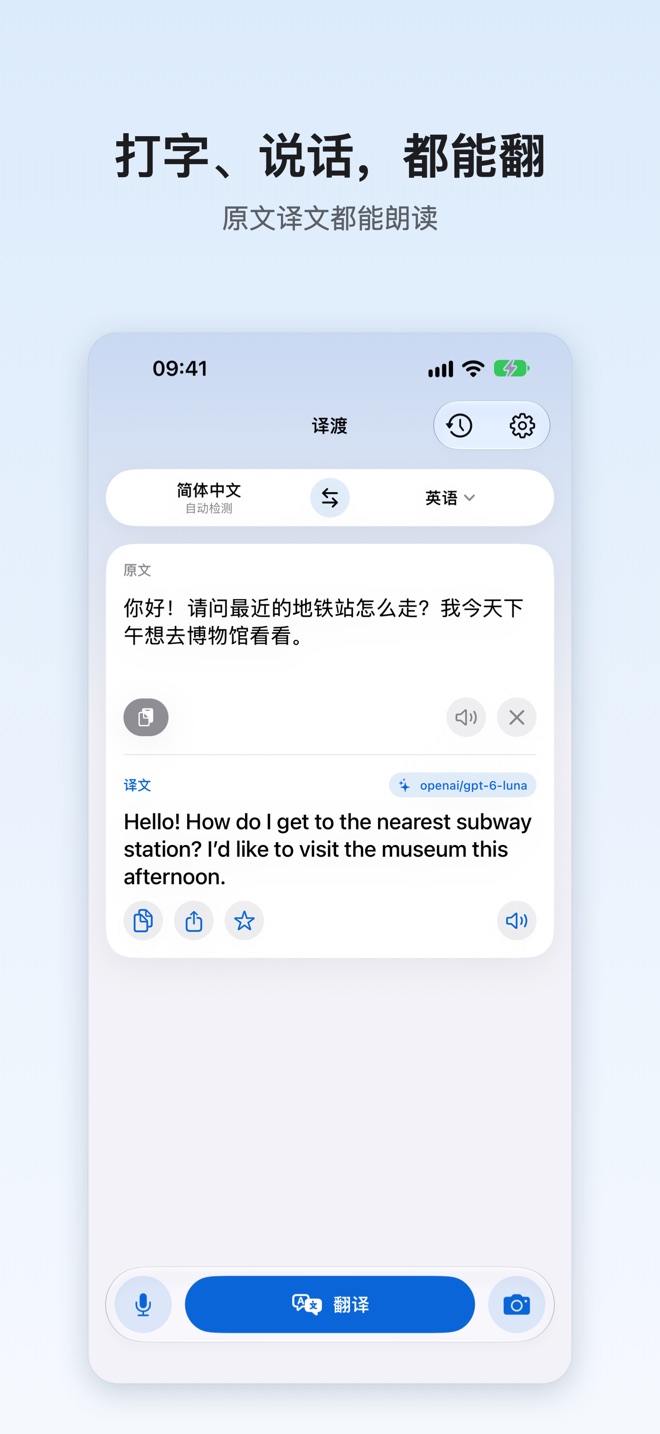
Type it, snap it, say it.
Scroll & stitch it too.
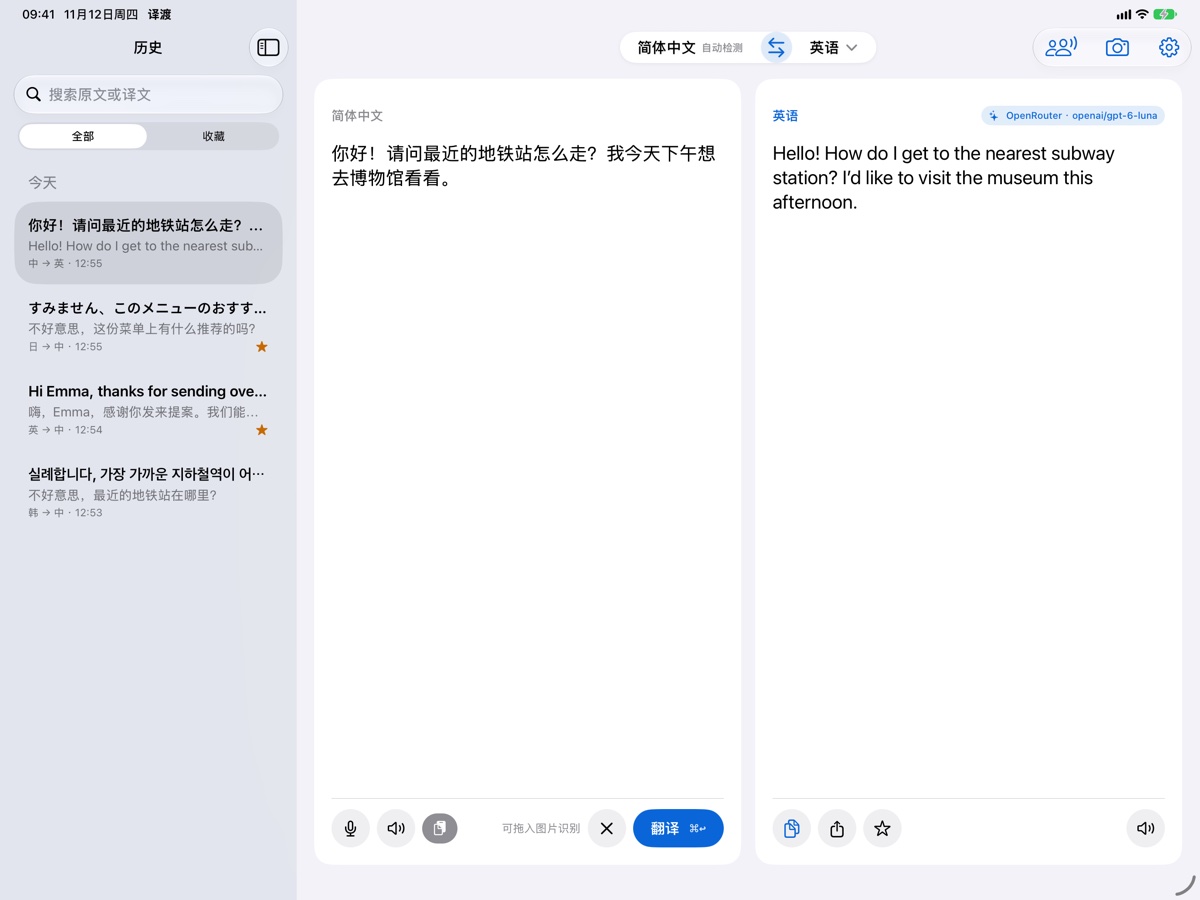
Connect the AI service you prefer, or skip setup and use on-device offline translation. Menus, conversations, scrolling long screenshots, and bilingual video subtitles—ready on iPhone, iPad, and Mac.
Synced with iCloud · Interface currently in Simplified Chinese, English localization coming soon

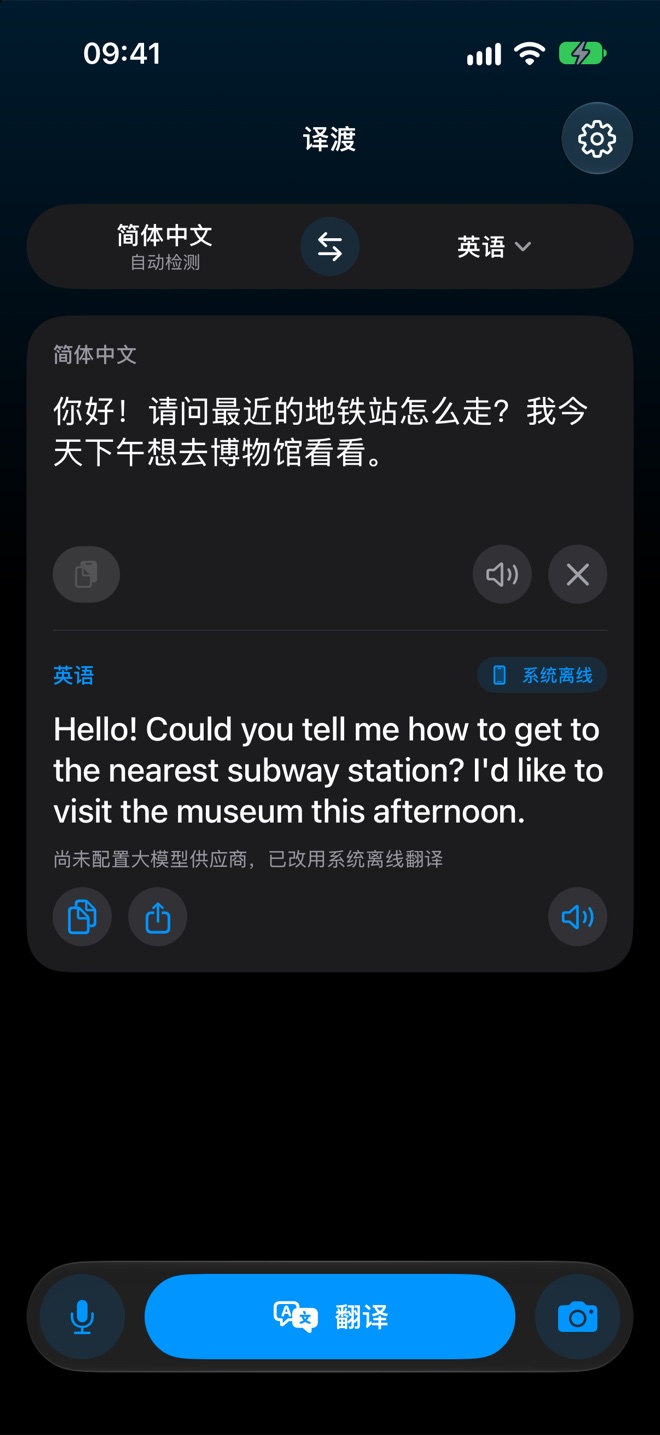
On iPhone & iPad: translate what you see, hear, scroll and watch
Camera, microphone, photo library, cross-app screen recording, and the system Share sheet are all ways in.
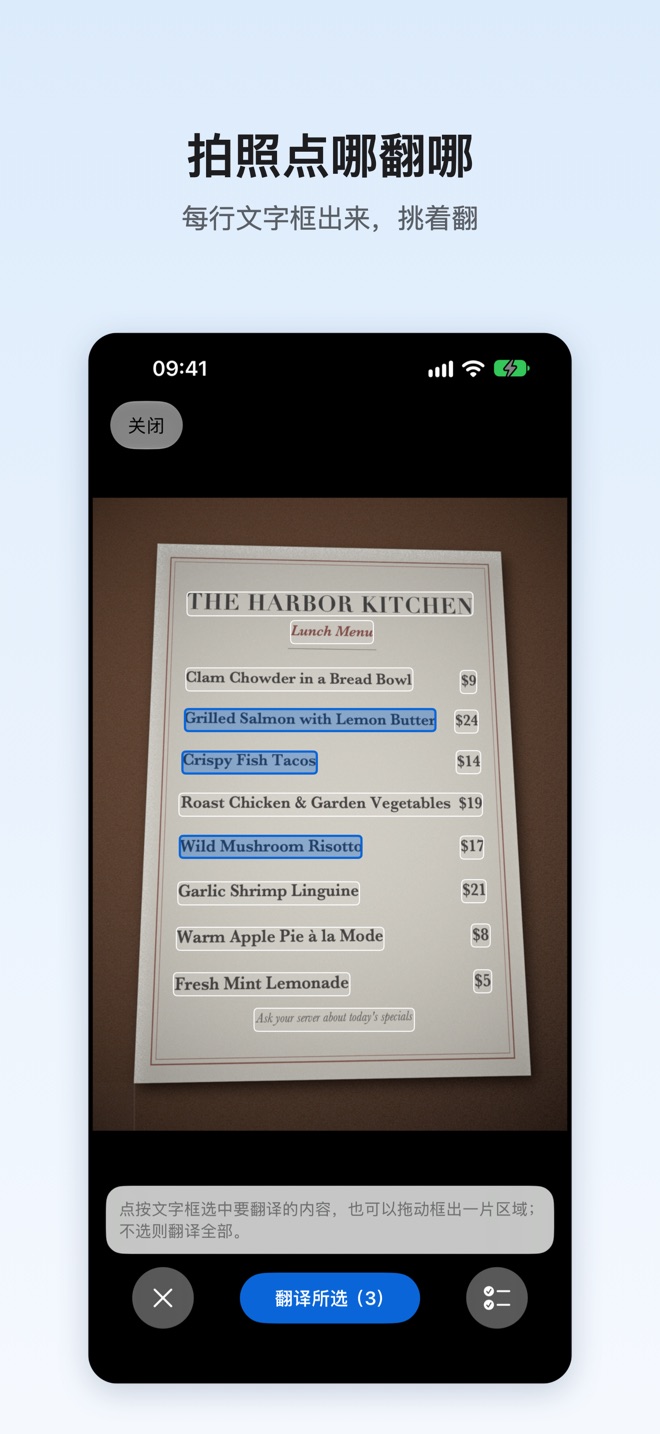
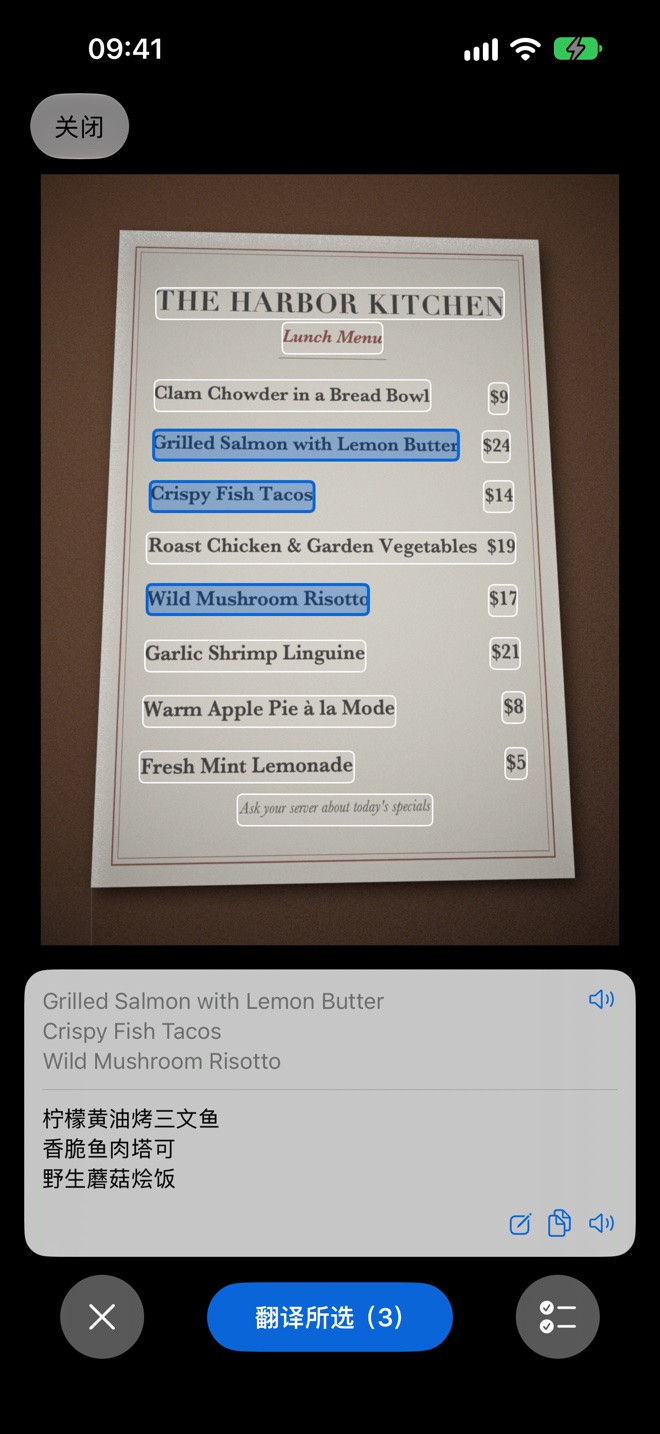
Camera
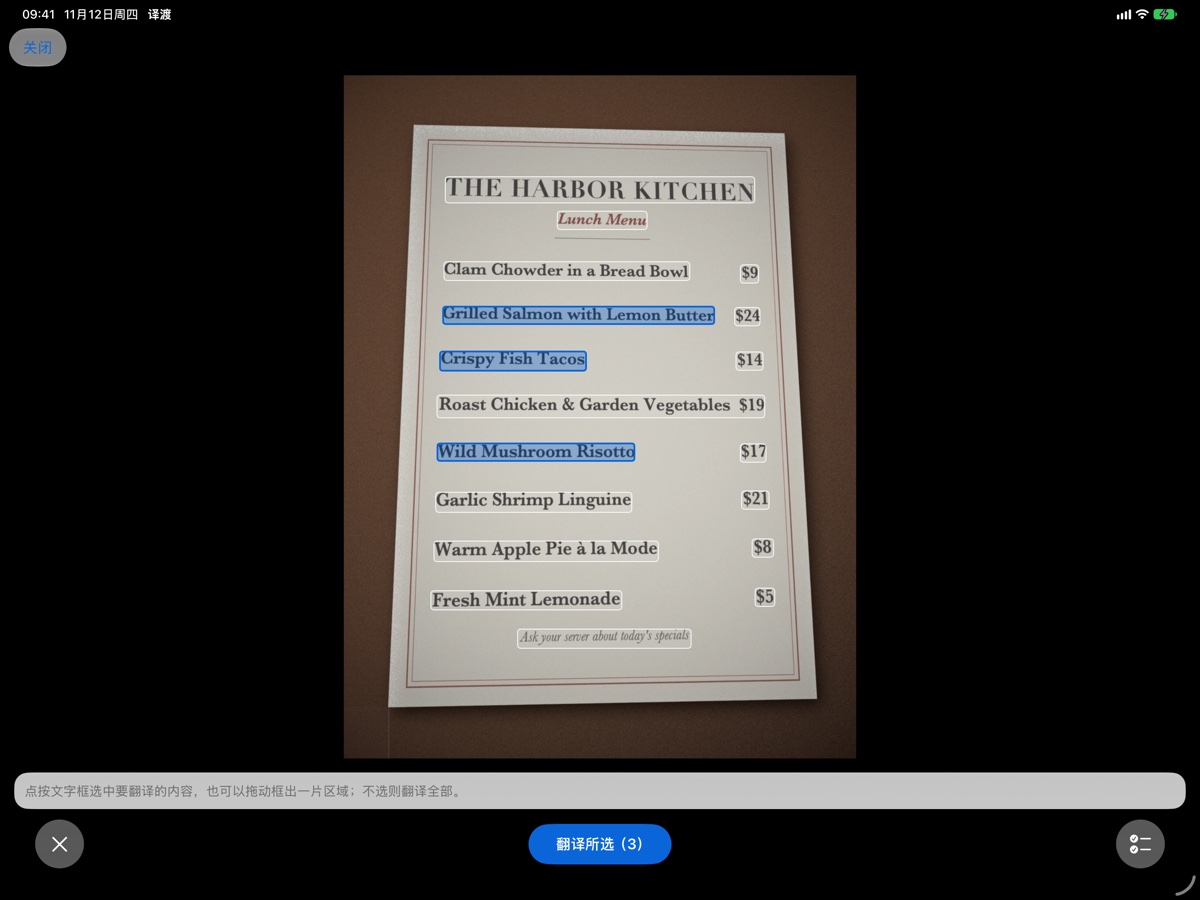
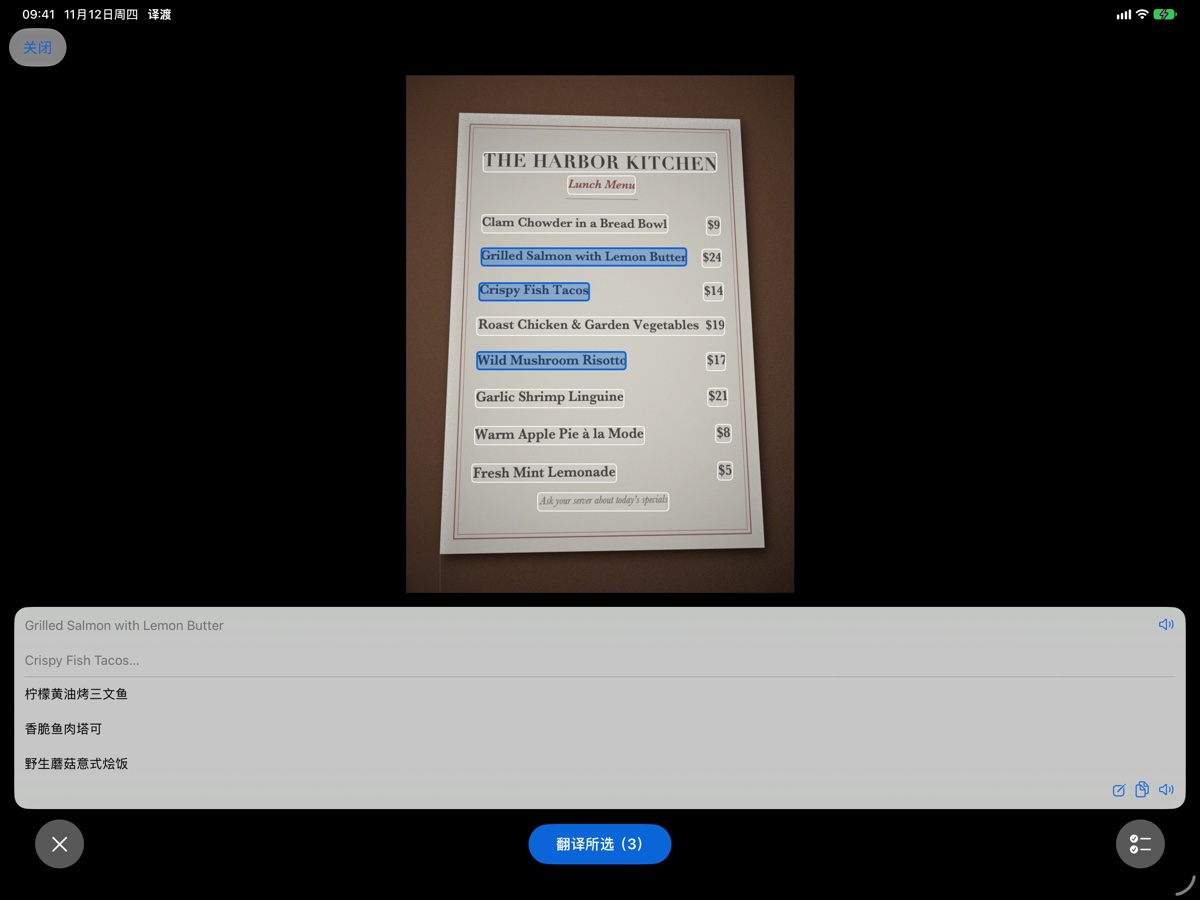
Point at text and tap the line you want. Take a photo and every line is boxed, so you can translate a few lines or all of it.
Long Screenshot & Stitch
Pick 2–30 overlapping screenshots from Photos or record while scrolling in any app. Remove unwanted pages, crop or cut horizontal bands, and paint translations right onto the stitched image.
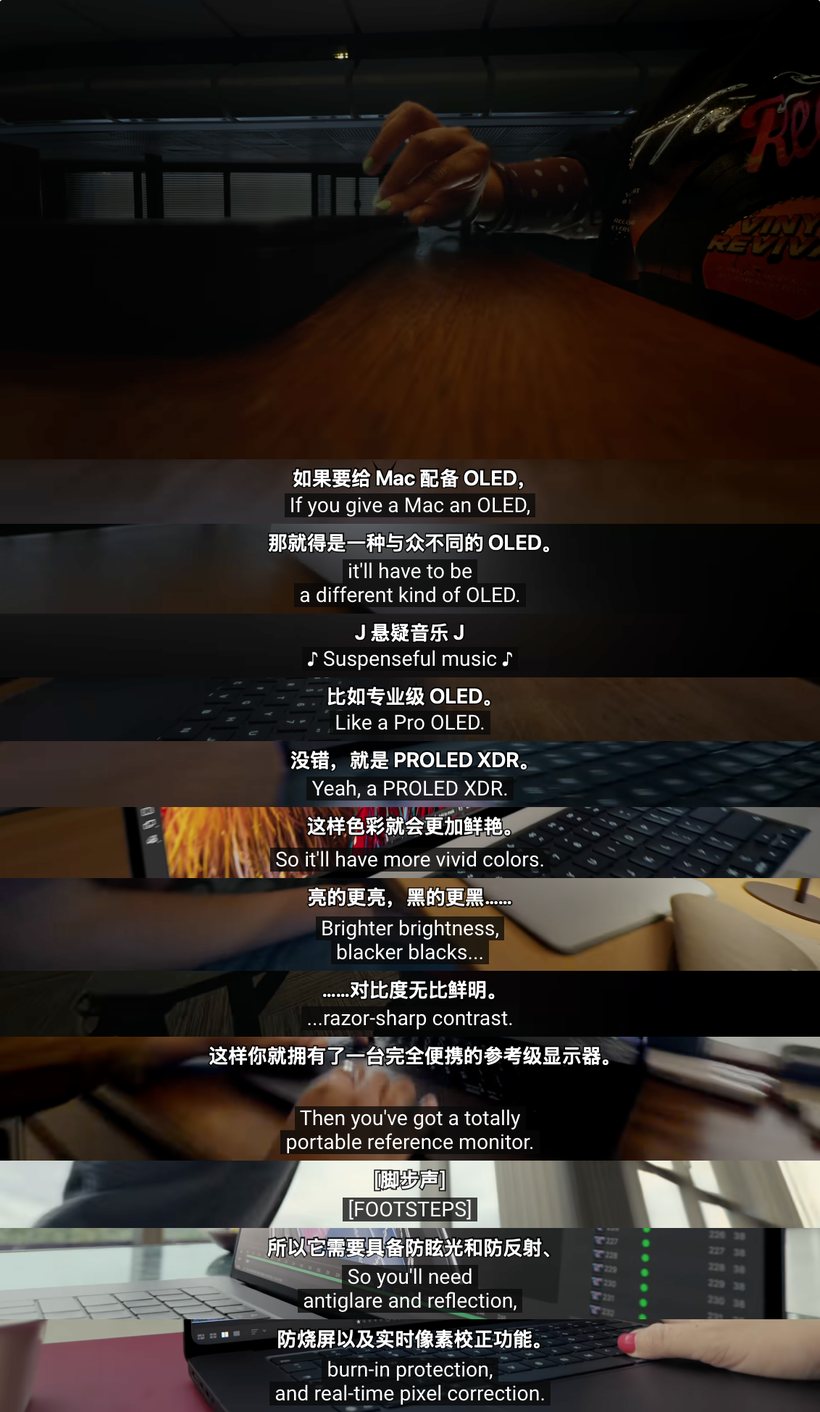
Video Subtitle Stitch
Import a video from Photos/Files or record any streaming app. Draw a box around the subtitle band (automatically trimming excess bottom area) to create a bilingual subtitle image in seconds.
Conversation
Split screen for two. Hold to talk, release to translate and hear it read aloud. Replay any sentence you missed or re-transcribe it with another model.
Paste Media & Share Cards
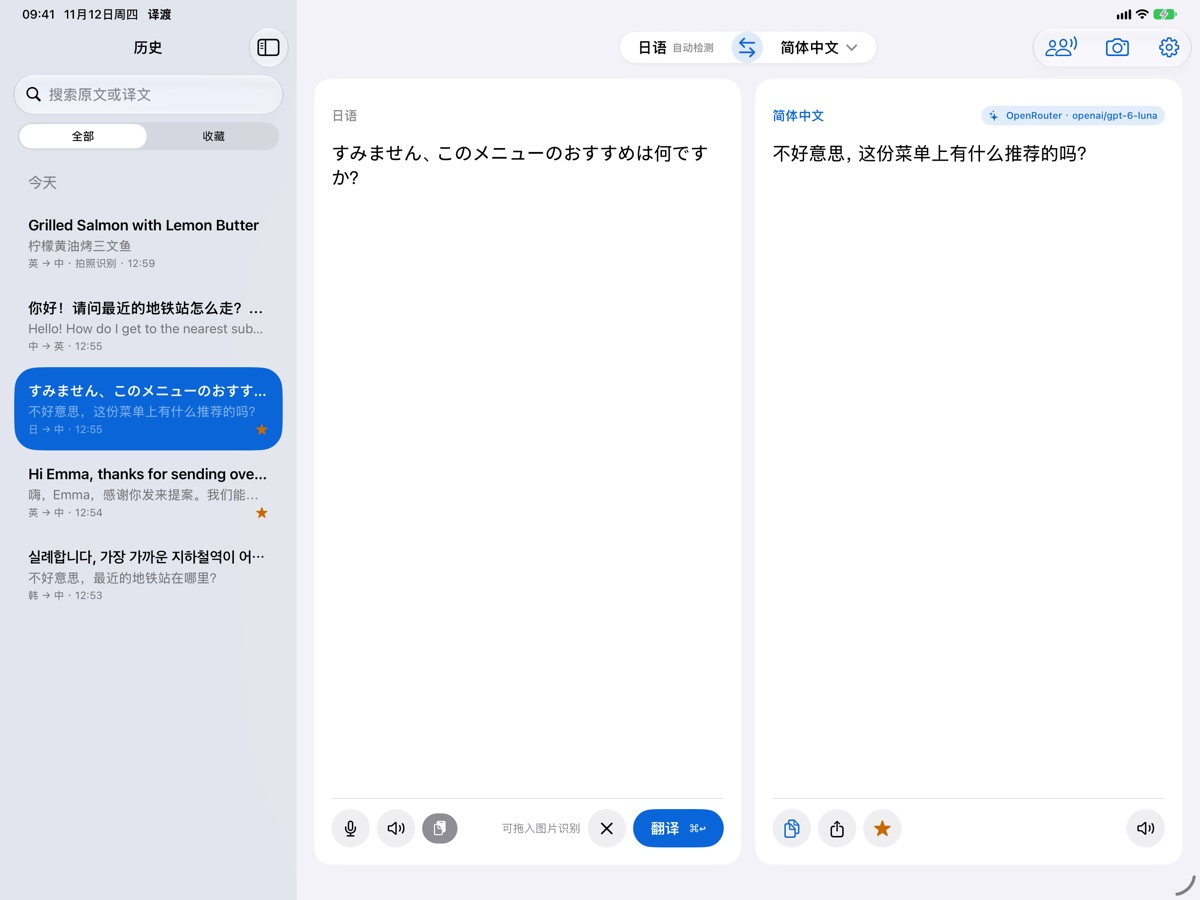
Paste or drag images and audio files directly into the source box to transcribe and translate, or paste web & X post links. Share results as text or as a formatted bilingual image card.
Default App & Share Sheet
Make Ferry your default translation app on iOS 18.4+ to translate selected text anywhere. Or share text, links, single/multiple screenshots, videos, or audio files to Ferry from any app.
Scroll Capture · Page Editor · Overlay Translate
Stitch from Photos or record across apps with live dynamic preview, instant page removal, band cutting, and in-image translation.
-
1
Cross-App Scroll Recording or 2–30 Photos Auto-dismisses the broadcast overlay and pauses capture while inside Ferry or switching apps, preserving the very last frame when you stop.
-
2
Live Dynamic Preview & 4-Stage Progress Watch your tall image grow in real time across Read → Track → Align → HD Compose while sticky headers and footers are deduplicated.
-
3
Zero-Lag Page Removal, Free Crop & Band Cut Toggle off unwanted pages in under a millisecond with zero UI freeze, crop to a box, or slice out a horizontal band in the middle.
-
4
In-Image Overlay Translation or Full Text Extraction Paint translations right over the original layout (toggle Original vs. Translated anytime) or send all text to the main editor.
Local & Streaming Video Bilingual Subtitle Stitch
Turn lectures, clips, and streaming videos into a clean bilingual subtitle sheet with interactive tail trimming.
-
1
Import from Photos/Files or Record Any Video App Works with local video files, shared videos from the system Share sheet, or live cross-app screen recording for streaming apps.
-
2
Interactive Subtitle Box & Automatic Bottom Trim Draw or drag the green subtitle band; Ferry automatically trims excess area below higher-positioned subtitles and lets you re-adjust anytime.
-
3
Zero Cold-Start Delay & First-Frame Preservation Preserves the initial frame's subtitle as the cover so you never miss the first line, deduplicating every spoken line in ~0.5s.
-
4
Original / Bilingual / Translated Switch & Transcript Copy Translate all lines in one tap, switch display modes, copy the full bilingual text transcript, or save and share the tall image.
🖼️ Paste/Drop Images & Audio + Link Reader Input Upgrade
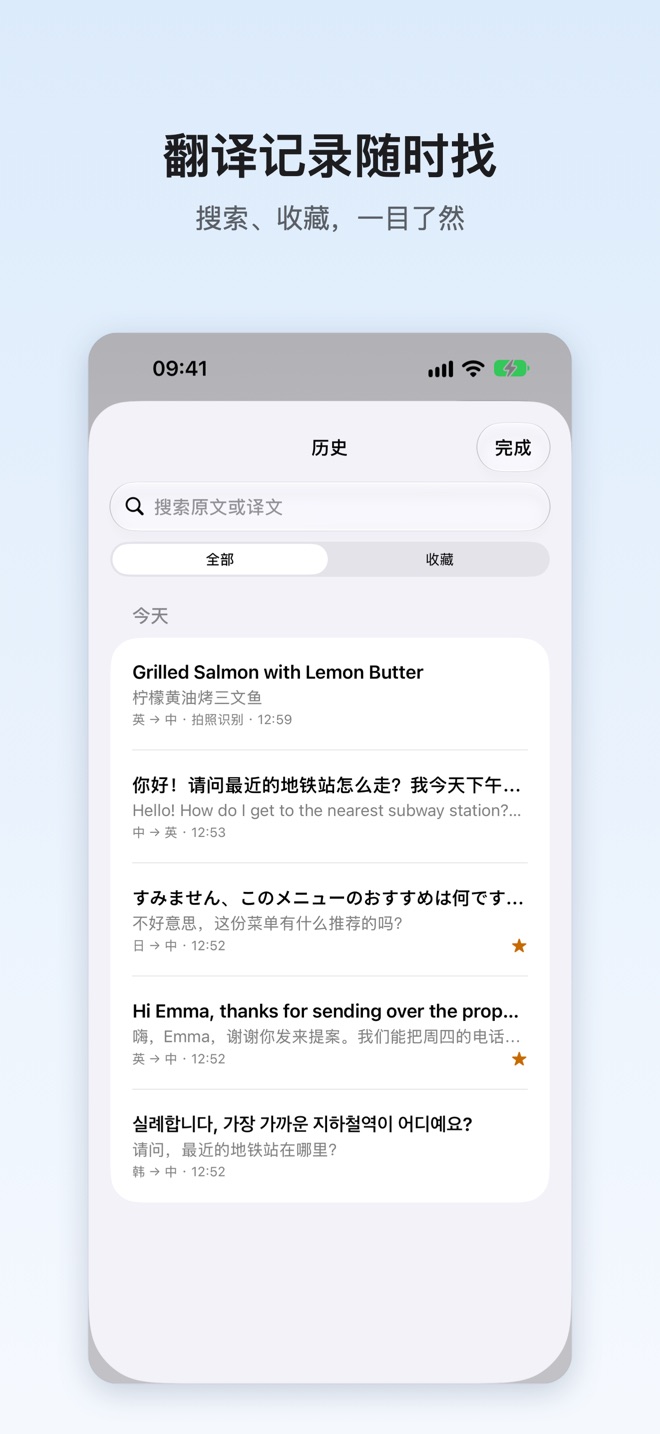
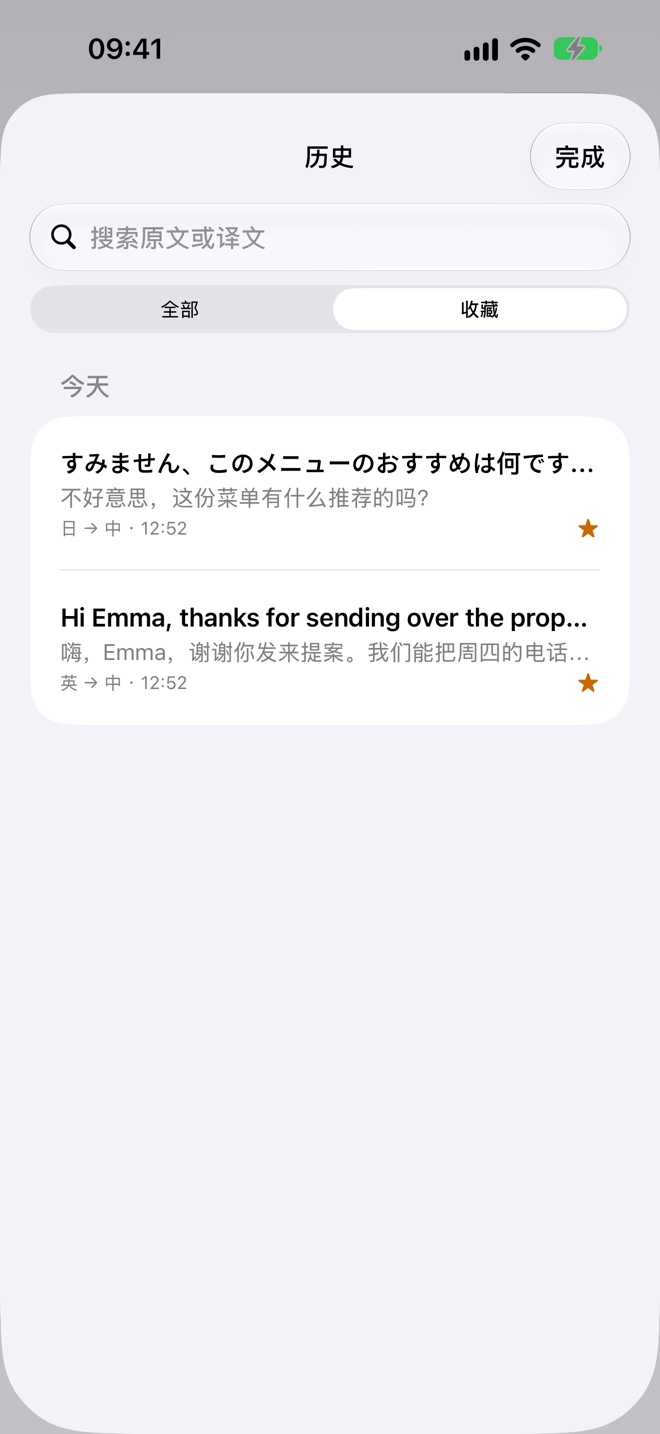
Paste or drag images and audio files directly into the source box to recognize and translate, keeping a thumbnail in your history. Paste or share web pages and X (Twitter) post links to read and translate the article body.
📤 Universal Share Sheet & Bilingual Image Cards Share Upgrade
From any app's Share menu, send text, links, a single image (OCR), 2–30 screenshots (auto long-stitch), a video (bilingual subtitles), or audio to Ferry. Share translations as plain text or as a formatted bilingual image card.
⚡ Mac 60fps Waterfall Stitch & Multi-Popover Mac Upgrade
SCStream 60fps continuous sampling + 100% dynamic card boundary tracking + final-frame backfill inspection conquers GIF-heavy and lazy-loaded feeds. Selection popovers stay open until ready, open separate windows for new lookups, and hand off to the main window without re-translating.
🧠 Modality Detection, Pricing & Status-Bar Switcher AI Upgrade
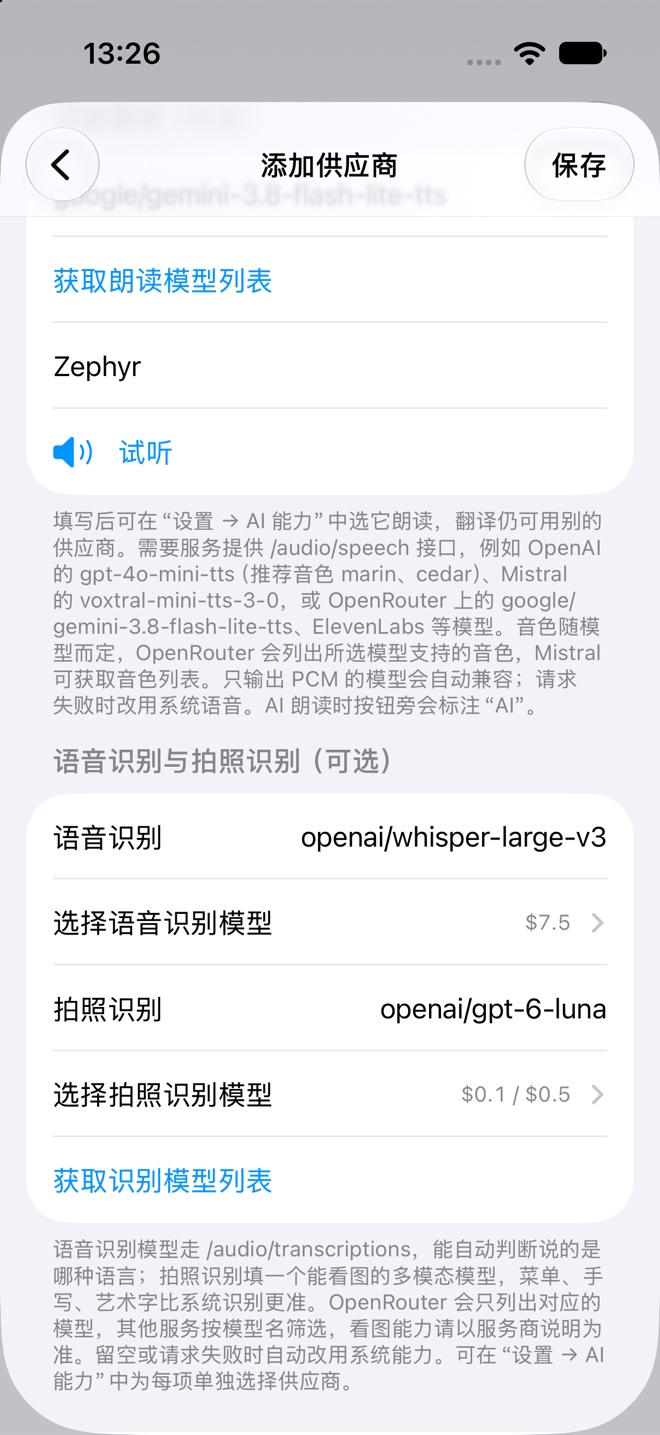
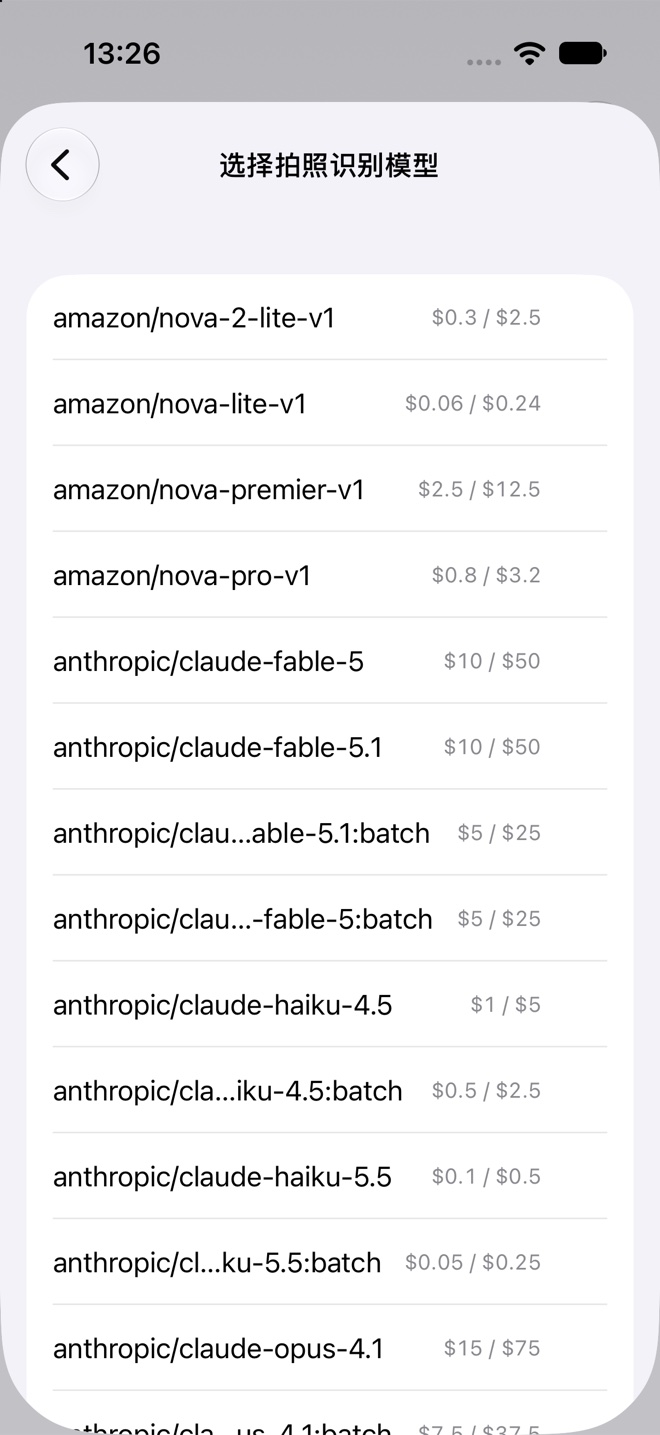
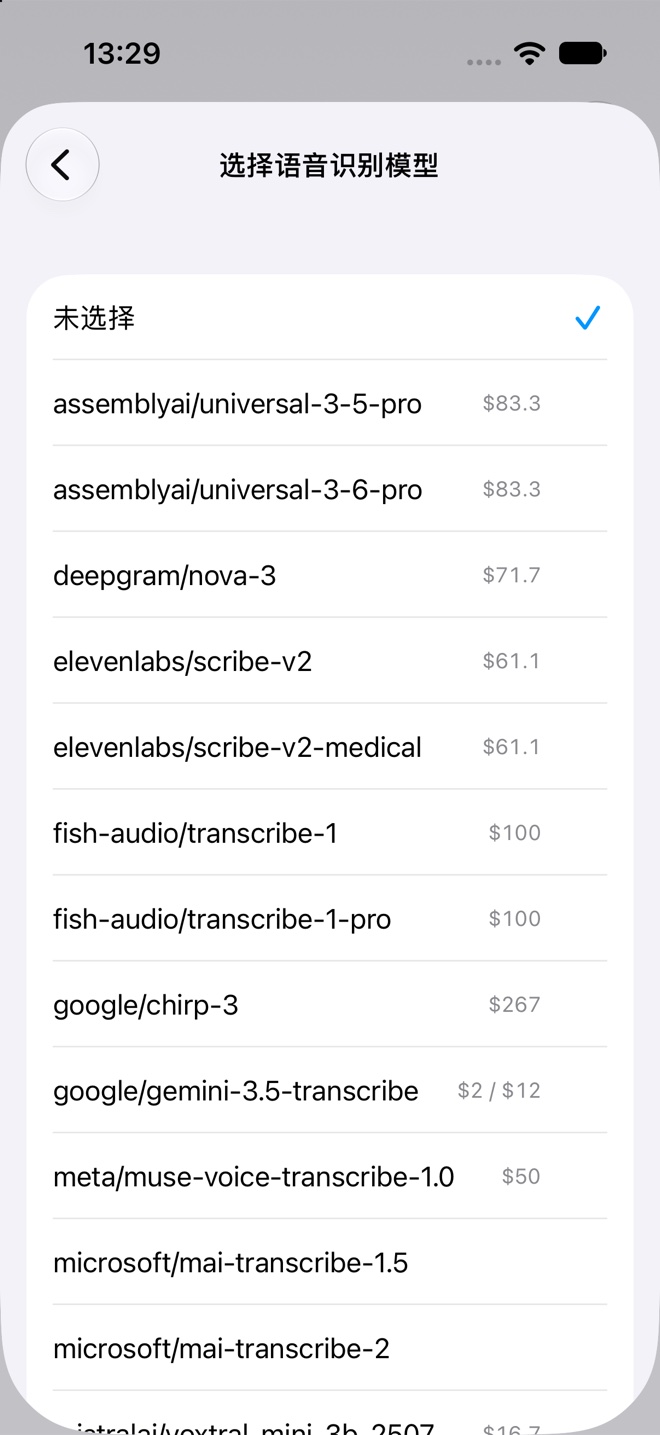
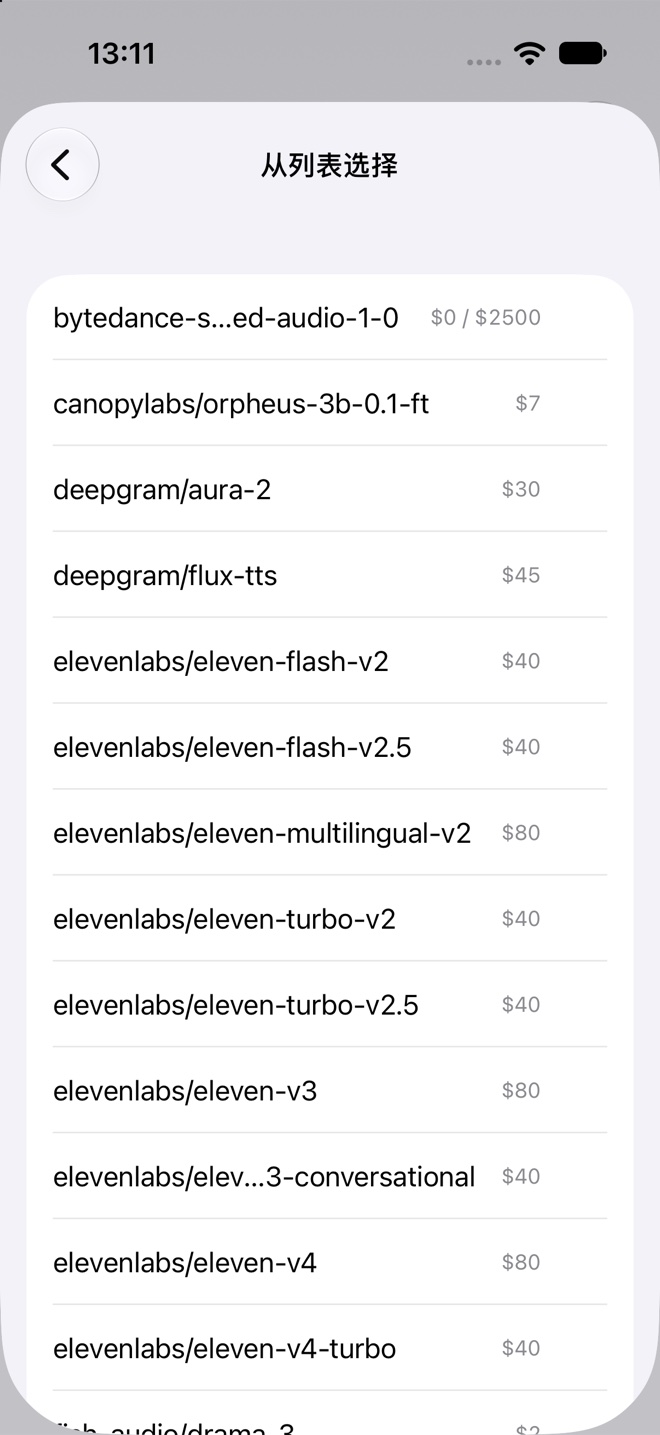
Parses `/models` modalities and native endpoints to filter chat, TTS (with voice preview), ASR, and vision models while showing OpenRouter per-million-token pricing or "Free" badges. Caches model lists locally, adds model selection in onboarding, and lets you switch models from the Mac status bar.
Snap a photo and tap the exact lines you want
After taking a photo or choosing one from Photos, Ferry automatically boxes every line of text. Tap the dishes or paragraphs you care about—or drag a selection rectangle—and a bilingual result sheet slides up with TTS playback, one-tap copy, and handoff to the main editor.
On Mac: one shortcut away
Ferry lives in your menu bar and works in every app, with 60fps scrolling capture for complex feeds, markup tools, and instant video subtitle stitching built in.
- ⌥D Selection translate (Multi-Popover) Popups stay open while loading even if you click away, new lookups open separate popovers, and "Open in Main Window" hands off without re-translating.
- ⌥S Screenshot translate & In-Place Paint Drag over the screen. Pick paragraphs to translate, or paint the translation right back onto the image matching background and text colors.
- ⌥A 60fps Scrolling Capture & Markup Continuous 60fps stream stitching handles GIF-heavy feeds and lazy-loaded lists; includes arrows, steps, mosaic, stickers, desktop pin, and OCR.
- Zero Cold-Start Subtitle Stitch Preserves the initial frozen frame's subtitle so you never miss the first line, stitching every spoken line into one tall bilingual image.
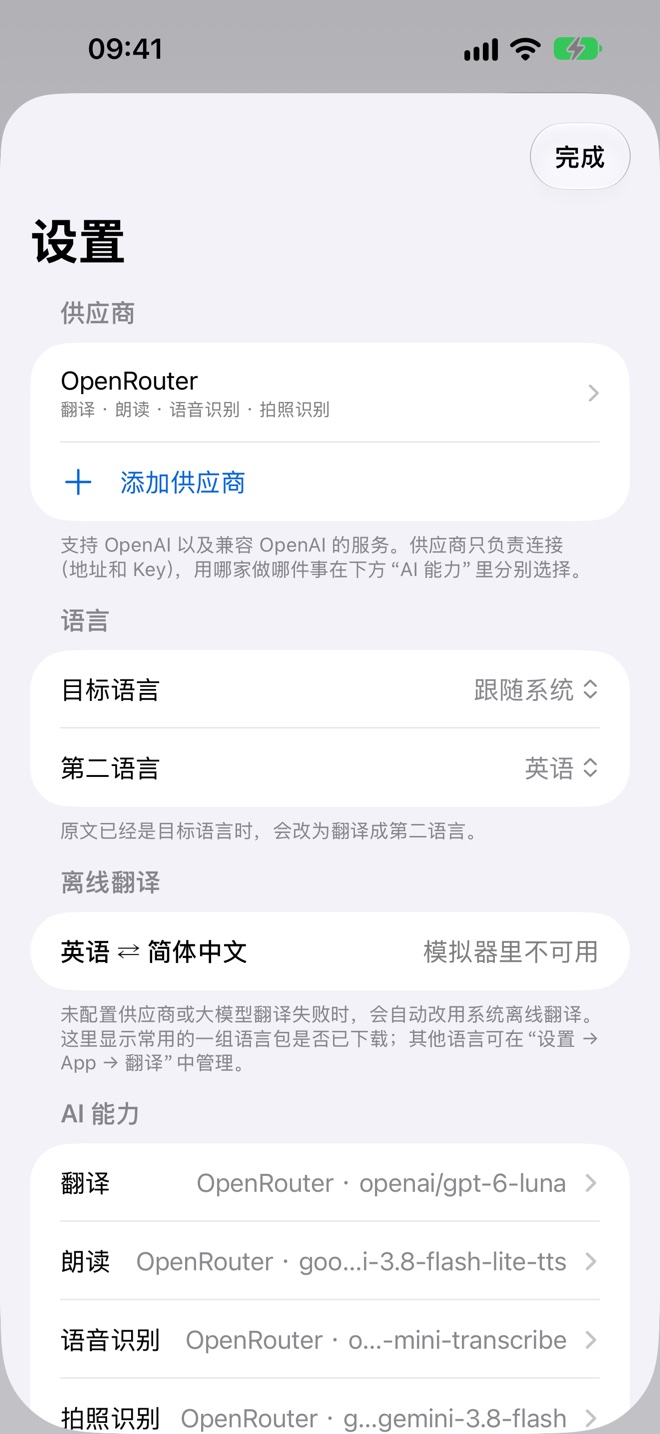
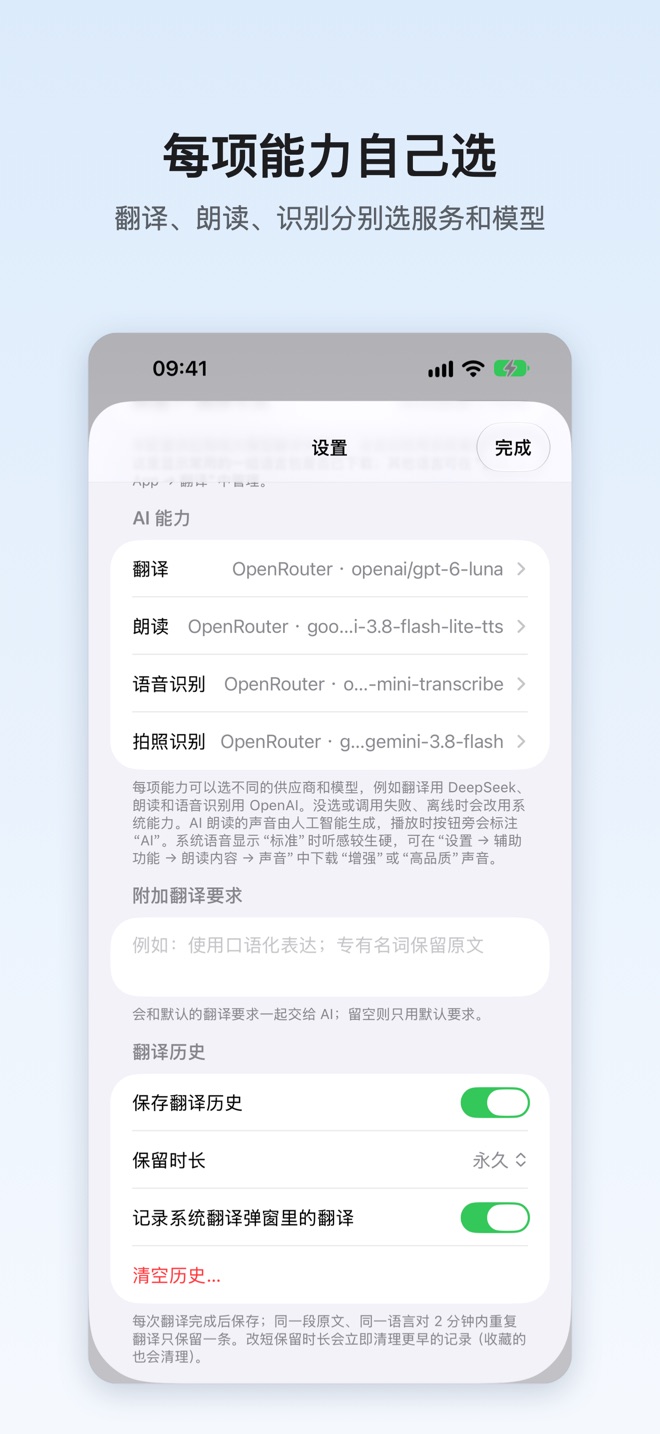
Your AI, your choice
Ferry isn't tied to any provider and never sits in the middle.
Your own account
Works with OpenAI, DeepSeek, Mistral, OpenRouter, Ollama and OpenAI-compatible services. Verify keys and capabilities with zero token cost. Your provider bills you directly.
Mix and match
Automatically filters models by modality (chat, TTS voices, transcription, vision), displays per-million-token pricing, caches model lists locally, and lets you switch models from the Mac status bar.
Works offline
No AI configured, or no signal? Ferry switches to Apple on-device intelligence. Download languages once and use it on the plane.
We don't collect your data
No account, no analytics, no ads, and no relay servers. Long screenshot stitching, subtitle extraction, and offline translation run 100% on your device, and AI requests go straight to your chosen provider.
Read the privacy policy →